Your guest list changes. A crew member needs a replacement credential. Security needs to recognize the right access level while people keep moving. Your credential program has to account for those details before the first pass goes around someone’s neck.
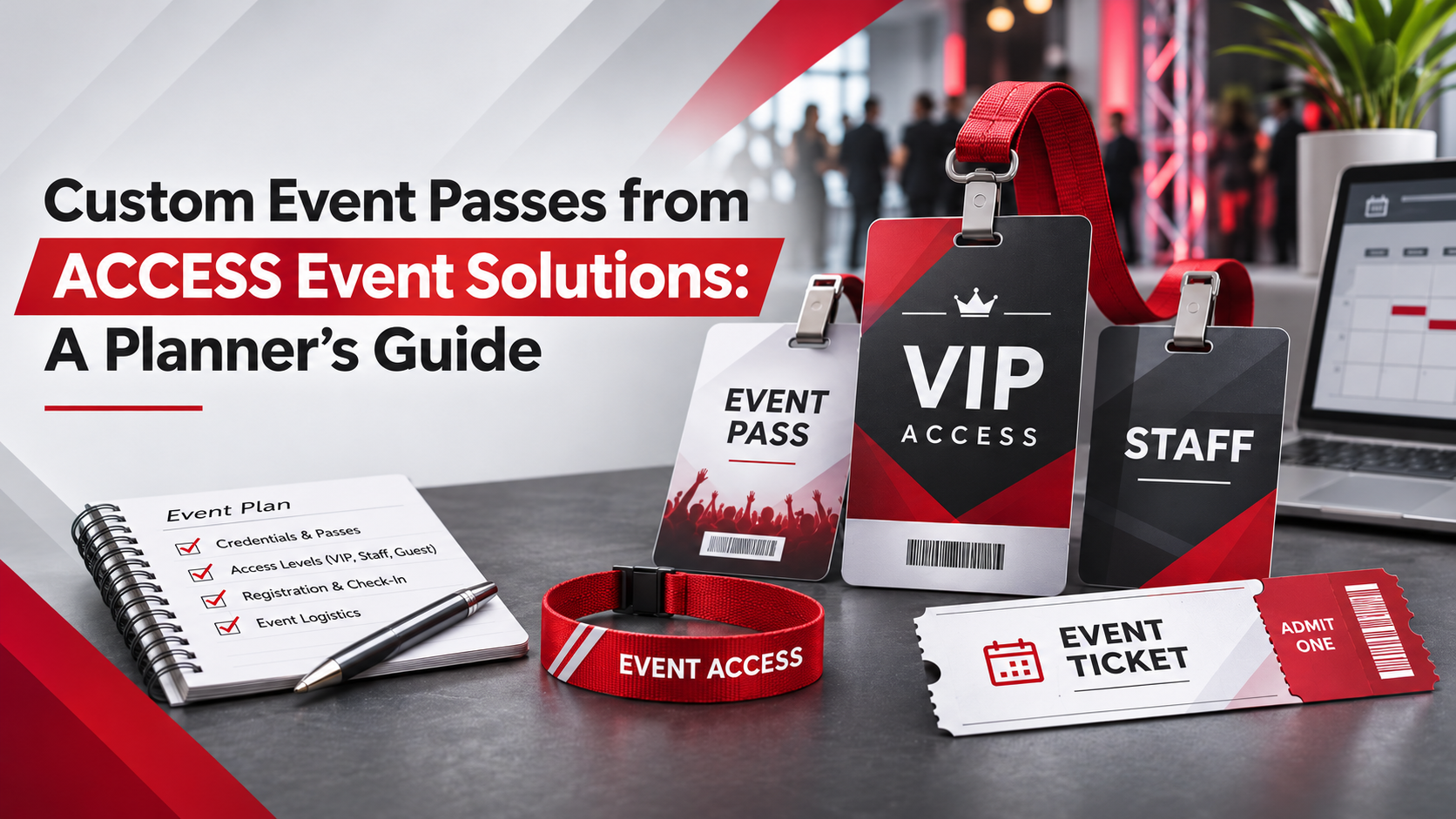
ACCESS Event Solutions designs and manufactures [custom event passes](/) for entertainment, sports, conferences, and private events. Passes, wristbands, lanyards, tickets, and electronic credential options give you several ways to organize access and carry your event branding.
This guide walks through planning a credential program with ACCESS, from choosing formats and security features to preparing artwork and handling onsite personalization. Start with what your event team needs to verify, then build the design and production plan around that work.
## Key takeaways for planning custom event passes
– Define who needs access, where they can go, and how your team will verify credentials before you begin designing artwork.
– ACCESS Event Solutions offers passes, wristbands, lanyards, tickets, and RFID-enabled credentials for coordinated event identification and access programs.
– Match credential materials and finishes to event conditions, security requirements, and the information staff must recognize at each checkpoint.
– Plan attendee data, onsite personalization, and replacement procedures early so late additions follow the same credential rules as everyone else.
– Confirm artwork approval, production requirements, delivery details, and event-day responsibilities together before committing your credential program to a final schedule.
## What custom credentials does ACCESS Event Solutions offer?
ACCESS Event Solutions offers custom passes, wristbands, lanyards, tickets, and RFID-enabled credentials. You can coordinate those products around your event’s access requirements rather than treating each item as a separate design project.
The [custom pass range](/products/custom-passes/) includes Matrix Laminates, pouch laminates, satin stick-ons, parking passes, and additional laminate formats. Choose the format according to how the credential will be worn, checked, and used throughout the event.
For a conference, that could mean personalized attendee credentials and branded lanyards. For a live event, your program could also include crew passes, guest wristbands, and parking credentials. Define the job of each piece before deciding how many versions to produce.
### Custom laminates for visible event identification
Custom laminates provide a format for displaying your event artwork, access designation, and attendee information. ACCESS supports personalization options including names, photos, numbering, and barcodes, with security finishes selected to suit your credential program.
Your security staff may need to read the access category before they read the person’s name. Give that information an intentional place in the layout. Keep decorative elements away from the areas that carry the entry decision.
When reviewing a proof, consider the credential as a working tool. Check the access label, attachment location, orientation, and readability at the size you intend to order. A detailed illustration on screen should still leave room for the information staff need onsite.
### Wristbands for guests, staff, and access zones
ACCESS [custom wristbands](/products/custom-wristbands/) include cloth, vinyl, digital, holographic, and RFID options. Your selection should reflect how long people will wear the wristband and how your team plans to check it.
Decide whether a wristband replaces a pass or supplements one. A guest might need a visible pass for identification and a separate wristband for a particular event area. Those roles should be clear in the access plan.
Keep the artwork and access naming consistent across both pieces. If your credential says one thing and your wristband uses a different term, your staff have to interpret the relationship at the gate. Set that relationship before production.
### Lanyards, tickets, and supporting event credentials
ACCESS [custom lanyards](/products/custom-lanyards/) support event and sponsor branding, with options including custom printing, recycled materials, and safety breakaways. Review the attachment and wearing requirements alongside the pass itself.
Tickets and parking passes can carry the same design language while serving different operational purposes. A parking credential identifies vehicle permissions; an attendee pass identifies a person’s event access. Keep those permissions distinct, even when the artwork is coordinated.
Build a product list that shows each item, its owner, its purpose, and its quantity. That shared reference gives your art department, event operations team, and security leads the same starting point for approvals.
## Start with your event’s access requirements
Your access requirements should determine the credential structure. List the people who need credentials, the areas they may enter, and the dates or sessions when those permissions apply.
Use access categories that your team can explain plainly. Crew, staff, media, guest, and VIP are possible starting points, but the labels must match your event’s actual permissions. Do not assume that a familiar label means the same thing to every department.
Separate the person’s role from the permission you are granting. A job title may help identify someone, but it should not leave security guessing about which door they may use. Write the entry rules before artwork approval.
### Build an access map before designing passes
An access map connects each credential category to the areas it authorizes. You can create a simple working table showing credential type, permitted zones, valid dates, and any additional verification required.
Review that map with the people staffing your entrances. A distinction that makes sense in a planning meeting may need a clearer label when someone is checking credentials in a busy queue.
Once the categories are agreed, use the same names in your artwork files, attendee data, packing lists, and staff briefing materials. If a category changes, update every reference rather than relying on verbal instructions to explain the difference.
### Make access categories readable in event conditions
Readable access categories help staff connect the physical credential to your entry rules. Use clear text, deliberate contrast, and a consistent location for the permission label across your pass designs.
Color can support recognition, but keep the written access designation visible too. Your team should not need to remember a color alone to understand a credential’s purpose.
Before approval, review the layout at its intended printed size. Consider how the pass hangs, what a lanyard may cover, and which information is visible when someone approaches a checkpoint. Resolve those practical details while artwork is still being developed.
## Choose materials for your event environment
Credential materials should match the handling and conditions your event requires. ACCESS offers paper, satin, Teslin, Matrix Laminate, and other formats, allowing you to discuss durability and finish as part of the product selection.
For credentials worn across multiple days, consider exposure to water, repeated handling, and continuous wear. For a short-use credential, the wearing method and identification requirements may guide a different choice.
Avoid treating every pass as interchangeable. A laminated crew credential, a satin stick-on, and a vehicle pass have different jobs. Give ACCESS the event context so your material discussion stays connected to how each item will be used.
### Matrix Laminates for custom shapes and artwork
ACCESS [Matrix Laminates](/product/matrix-laminates/) support edge-to-edge artwork, custom shapes, and personalization options. They can be used for applications including backstage passes, VIP credentials, conference badges, media credentials, and sports events.
Use the format to make your credential recognizable while preserving its working information. A distinctive outline can support the design, but your access designation and personal details still need clear placement.
Review the complete combination of shape, artwork, finish, and attachment. Each choice affects how the finished credential presents when worn. If your program uses several categories, check the full set together rather than approving each design in isolation.
### Match the finish to the credential’s purpose
A credential finish should support the way your team identifies and checks the pass. ACCESS offers foil, UV ink, and lenticular options, alongside variable data and custom artwork.
Decide which elements carry branding and which elements staff will inspect. A decorative finish may also have verification value, but only if your team knows what it is supposed to look like.
Keep a clear reference for approved designs and security features. Your event team can use that reference when briefing checkpoint staff and reviewing delivered credentials. The goal is consistency between what was approved, what was produced, and what people are trained to recognize.
## Build security features into your credential design
Credential security starts with selecting features that fit your verification process. ACCESS supports visual features such as foil and holographic finishes, personalized data, and electronic options including RFID and NFC.
Choose features according to the access decision being made. A visual check, a name check, and an electronic verification each require different preparation. Your credential design should support the method your staff will use.
No printed feature replaces a clear entry policy or trained staff. Treat the physical credential as one part of the process, alongside issuance rules, checkpoint procedures, and a defined response when a pass needs additional verification.
### Foil stamping and visual credential verification
ACCESS [foil stamping](/services/foiled-passes/) adds metallic or holographic details during production. The art department and press operators coordinate the design and placement of the finish.
Identify where the foil belongs and what staff should inspect. Avoid making a security feature so visually crowded that it is difficult to distinguish from the surrounding artwork.
Include the selected finish in the proof discussion and the staff reference materials. Your checkpoint team should know which details are expected on each credential category. Describe the feature as a verification aid rather than a guarantee that unauthorized access cannot happen.
### Personalized names, photos, and unique identifiers
Personalized data gives your team more information to check against the person presenting a credential. ACCESS supports names, photos, numbering, barcodes, and other variable data options.
Decide which fields belong on the physical pass and which belong in your event records. A name and photo may support identification; a barcode or unique number can connect the credential to a separate verification process.
Use sample records to review long names, different title lengths, and photo placement before submitting your complete dataset. This gives you a practical way to catch layout problems before they affect an entire credential category.
### RFID and NFC credentials for electronic verification
ACCESS [RFID systems](/services/rfid-systems/) can incorporate RFID and NFC tags into event credentials. Depending on the configured event system, these credentials can support access control, attendee tracking, and interactive experiences.
Define the electronic workflow before selecting the credential specifications. Your event technology plan should identify the readers, software, permissions, and information required for the intended use.
Do not assume every tag works with every system or includes the same functions. Confirm compatibility and responsibilities with your event technology team and ACCESS. Test the intended interaction before event day, including how staff should respond when a credential does not read as expected.
## Plan onsite personalization before guests arrive
Onsite personalization lets you add attendee information at the venue while retaining the planned credential design. ACCESS offers a cold lamination system and options for adding names and photos onsite.
Build the workflow into your registration plan. Decide who may issue credentials, who approves changes, and how your team records a replacement or late addition.
Keep blank credentials under the same issuance rules as completed passes. Your onsite team should have a clear process for turning an approved request into a finished credential, rather than creating an informal route around the access plan.
### Cold lamination for late additions and walk-ins
ACCESS cold lamination allows attendee information to be written or printed in a designated area before lamination film is applied onsite. That approach lets you plan space for day-of details within the full-color credential design.
Confirm the information fields and personalization method while the artwork is being prepared. Your onsite workflow needs to match the space available on the pass.
Practice the process with the staff who will perform it. Check the finished appearance, the readability of the added information, and how completed credentials are handed to attendees. A trial run also helps you identify supplies and instructions to include at the registration desk.
### Replacement credentials and changed permissions
Replacement credentials need an approval process that distinguishes a lost pass from a change in access. Decide who can authorize each type of request and what information your team must record.
For electronic programs, coordinate replacement procedures with the people responsible for permissions and system records. For visually checked programs, define how staff will recognize and handle superseded credentials.
Include the replacement process in your event briefing. Registration, security, and event operations should share the same instructions so an attendee receives a consistent answer. Keep the escalation route clear when a request falls outside the normal process.
## Prepare artwork and attendee data for production
Production preparation brings together the approved design, credential quantities, and personalization data. ACCESS provides graphic design support and artwork guidance so those inputs can be reviewed as a complete program.
Start with a version list showing each access category and its required quantity. Add the artwork reference, variable fields, and any special finish associated with that version.
Keep a single approved reference for the order. When artwork or data changes, identify which file replaces the previous one and who authorized the revision. That discipline helps your team avoid approving one version while submitting another for production.
### Keep credential artwork focused on identification
Credential artwork should give access information and personal identification deliberate space. Event branding, sponsor placement, and decorative elements can then work around those operational requirements.
ACCESS supports custom artwork and can help translate your design into the selected pass format. Provide brand assets and explain which information security staff must recognize first.
Review the front and back as parts of the same credential. Consider which details people need during entry and which information can sit elsewhere. Keep the access decision easy to locate rather than expecting staff to search across the entire design.
### Check attendee data before approving personalized credentials
Accurate attendee data starts with consistent fields and an agreed approval owner. Decide how names, titles, organizations, photos, and access categories should appear before your team compiles the final production file.
Check for missing records, inconsistent category names, duplicate entries, and text that exceeds the available space. Review representative examples from every credential version.
Separate a spelling correction from a permission change. Both may affect the printed credential, but they can require different approvals. Recording that distinction gives your team a clearer basis for handling later revisions and onsite requests.
## Coordinate production and delivery with your event schedule
Your credential schedule should account for artwork approval, production, delivery, and onsite preparation. ACCESS reviews product specifications, timing, and artwork as part of confirming an order.
Share the date you need credentials in hand, not only the date attendees arrive. Your team may need time to inspect the shipment, organize categories, prepare registration materials, and brief security.
Confirm the schedule for your exact product mix. Materials, finishes, personalization, and quantities can affect planning. Keep production time separate from shipping time, and confirm the delivery destination and receiving contact before the order is finalized.
### Review the complete credential order before approval
A complete order review checks the relationship between artwork, quantities, security features, and personalization. Use the same version names across your proof, order summary, and attendee data.
Confirm which pieces arrive completed and which need onsite work. Include lanyards, wristbands, tickets, and parking credentials in that review so supporting items are not overlooked.
Assign one person to collect final approvals from the relevant teams. Your security lead may approve permissions while your marketing team approves branding. Bring those decisions together before authorizing production, with any unresolved questions recorded explicitly.
## Match event needs to ACCESS credential options
Your event requirements provide a practical way to choose ACCESS products and customization options. Use this checklist to prepare a focused conversation about your credential program.
| Event requirement | ACCESS option to discuss | Detail to confirm |
| — | — | — |
| Visible staff or guest identification | Custom passes and laminates | Access labels, layout, and wearing method |
| Personalized conference credentials | Variable data printing | Names, photos, titles, and data format |
| Visual security checks | Foil, holographic finishes, or UV ink | Feature placement and checkpoint instructions |
| Electronic verification | RFID or NFC credentials | Reader compatibility and system configuration |
| Late registrations or walk-ins | Onsite personalization and cold lamination | Supplies, staffing, and issuance process |
| Coordinated event branding | Custom lanyards and wristbands | Artwork, materials, and product quantities |
| Vehicle access identification | Parking passes | Valid areas, dates, and display requirements |
| Event admission or keepsakes | Custom tickets | Intended use, artwork, and verification needs |
Use the checklist with your access map and product quantities. The aim is to arrive at a defined specification, with each credential serving a clear purpose your event team understands.
## Plan your credential program with ACCESS Event Solutions
ACCESS Event Solutions brings design, custom credential production, and personalization options into your event planning process. You can review the [credential options](/products/) with your team and organize the order around the work each item needs to do.
Bring your access categories, estimated quantities, artwork, personalization requirements, and delivery needs to the discussion. Include any electronic verification requirements or onsite issuing plans early so they can be considered alongside the physical products.
When you are ready, [request a quote](/request-quote/) with your event details. ACCESS will review the products, specifications, artwork, and timeline with you before confirming the order.
## FAQs about ACCESS Event Solutions custom event passes
### Can ACCESS personalize event passes with names and photos?
Yes. ACCESS Event Solutions supports variable data printing, including names and photos, for personalized event credentials. You can also discuss titles, numbering, barcodes, and other data fields. Confirm the required fields and review sample layouts before approving your production file.
### Does ACCESS offer credentials for backstage and VIP access?
Yes. ACCESS Event Solutions offers custom credentials for backstage, VIP, and other event access categories. You define the permissions and verification process; the pass design can incorporate the labels, personalized information, and selected security features that support those requirements.
### Can ACCESS help with onsite credential personalization?
Yes. ACCESS offers onsite personalization options, including a cold lamination system for adding attendee information at the venue. Plan the blank fields, equipment, supplies, and issuing responsibilities before event day so late additions follow your approved credential process.
### Can ACCESS supply RFID-enabled event credentials?
Yes. ACCESS Event Solutions can incorporate RFID and NFC tags into event credentials. The available interactions depend on your event system and configuration. Confirm the intended use, reader compatibility, and software requirements before finalizing the physical credential specifications.
### How should I plan production timing for custom passes?
Plan backward from the date your team needs credentials in hand. Confirm the schedule with ACCESS for your selected materials, quantities, finishes, and personalization requirements. Allow for artwork approval, shipping, shipment review, and any onsite preparation before attendees arrive.
### Can I coordinate passes, wristbands, and lanyards through ACCESS?
Yes. ACCESS offers passes, wristbands, and lanyards, along with tickets and other event credential products. Share your full product list and artwork requirements together so the team can review branding, quantities, and the role each item plays in your event.